Learn how to increase phone calls and website clicks from your Google Business Profile with proven optimization strategies that drive more local customers.
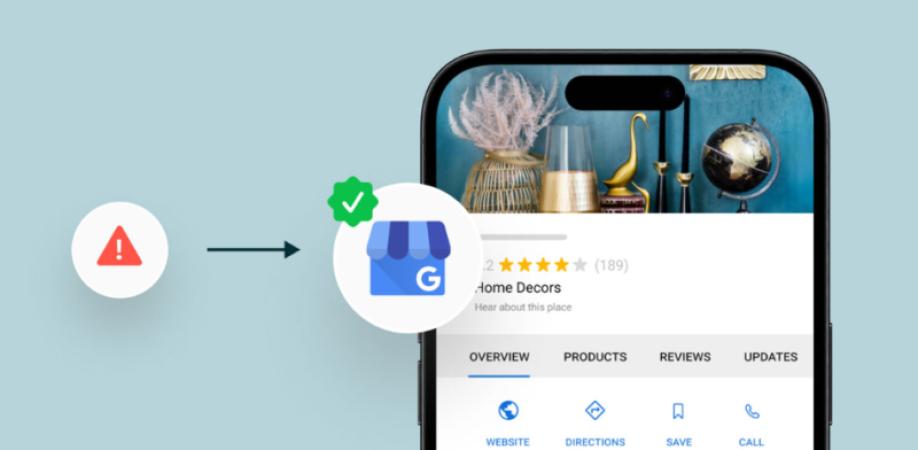
Your Google Business Profile (GBP) remains arguably the best tool for getting local customers to your business. When you search for a business or service that a consumer might need, chances are your profile will come up before your website on both Google Search and Google Maps. A profile that is well-optimized can prompt individuals to call, visit the website, request directions, or send a text message, all without ever leaving the platform of Google.
Should your GBP profile not get quite enough calls or clicks on the website, there are probably some main areas you've missed in your profile optimisation. Luckily, by addressing a few major elements correctly, you can enhance the interaction with clients significantly and at the same time raise the number of qualified leads.
In this article, we will walk you through a few techniques for Google Business Profile so that your visibility will be higher, you will get more calls, and, lastly, you will also increase web traffic.
Why Google Business Profile Matters
Customers look for nearby businesses and services, and Google usually gives more prominence to local businesses with verified, complete, and regularly updated profiles. Your GBP acts as your business doorway, and it has a list of information such as:
- Business name
- Phone number
- Website URL
- Hours of operation
- Customer reviews and ratings
- Photography of the venue
- List of services and goods
- Location map
If you let the customer easily trust and contact your business, they will choose you over the competitors as well.
1. Complete Every Section of Your Profile
A poorly filled profile is one of the reasons why businesses get low rankings from the search engine, and it also reduces the customer experience of having full trust in you as a business.
Here's how you can make your Google Business Profile complete:
- Give the correct name of the business
- Use the exact location's address that you are registered at
- Display a local landline or mobile number that can reach a physical address
- Link to your website
- Sale opening times
- Select a primary and a secondary category
- Create a compelling business description
- List different services and products
- Date of opening (optional)
- Details on amenities such as parking, accessibility, payment options, etc.
Google appreciates and gives precedence to businesses that offer detailed information.
2. Use the Right Business Categories
Your core business category directly affects whether you rank locally on Google Maps.
Pick a business category that best fits your core business activity. Then add the related secondary categories that fit other services you happen to provide.
Example:
Main business category:
- Roofing Contractor
Secondary business categories:
- Gutter Cleaning Service
- Siding Contractor
- Window Installation Service
p>
Properly categorizing will help the search engines to show your business at those queries that match them.
3. Write a Customer-Focused Business Description
Your business description must reveal:
- What do you carry out?
- Which group of clients do you address?
- What are your USPs that stand out against your competitors?
- What areas/regions do you operate in?
- List of your core services
Naturally insert geographical keywords but do not overload them.
Sample:
"At ABC Plumbing, we provide both residential and commercial plumbing services in the city of Denver. Our plumbers, who are certified professionals, do a range of work such as fixing emergency damages, drain clearance, installation of a water heater, as well as searching for a water leak that has happened. We provide all services on the same day"
Such a description makes a business attractive to a customer and also helps to achieve high relevancy in search results.
4. Add High-Quality Photos Regularly
The more photographs you post in a company profile, the more engaged customers you tend to attract.
Demonstrate your business by uploading pictures of:
- Exteriors
- The insides (Interiors)
- Crew members
- Work completed by the business
- List of products or services
- Tools and machines
- Changes after repairs
- Company cars
New photos indicate that the business you represent is not only busy, but also genuine and trustworthy. It's suggested to change and update the photographs regularly.
5. Encourage More Positive Reviews
Customer feedback is vital as it affects both your search page rankings and what potential clients might feel about your business.
In order to get more customers who give positive reviews:
- A good way is to get customer feedback at the same time they finish or after your work is done.
- By email or via texting, you can reach out with a link for the customer to leave a review.
- On receipts, you can have a QR code that points to a place where a customer could add a review.
Make a practice out of giving feedback a response for each post, whether negative or positive.
Positive responses demonstrate excellent customer service and encourage more people to call your business.
6. Publish Google Business Profile Posts
Many businesses overlook Google Posts.
Use them to promote:
- Special offers
- Seasonal promotions
- New services
- Company news
- Helpful tips
- Events
Posting regularly signals that your business is active while giving customers additional reasons to visit your website.
Include a strong call-to-action such as:
- Learn More
- Call Now
- Book Online
- Visit Website
7. Optimize Your Call-to-Action
Many users decide within seconds whether they'll contact your business.
Your profile should clearly communicate why customers should call you.
Highlight benefits like:
- Free estimates
- Same-day service
- 24/7 availability
- Licensed professionals
- Fast response times
- Satisfaction guarantee
These trust signals encourage immediate action.
8. Keep Business Information Updated
Wrong information results in losing customers.
Make the habit a routine to check:
- Phone Number
- Website Link
- Public holidays
- Working hours
- Company Address
- Localities where the services are available
What is worse for a customer than to contact a number that they no longer use or go to a place where they have closed down?
Having the same information across your website, directories, and Google Business Profile is also good for your local search engine optimization.
9. Add Every Service You Offer
Don't make it a habit to rely on only your business description.
Go ahead and list individual services like the examples below:
- Installation
- Repairs
- Maintenance
- Inspections
- Consultations
- Emergency services
Each service listing is a chance to be found by customers who are looking locally.
Beyond that, also make sure that each service description includes details with well-placed keywords naturally.
10. Improve Your Website Experience
Google Business Profile and web pages are a match made.
Imagine they get redirected to your website and they get bored quickly and go. Thus, you lose customers.
Make your site:
- Loading very fast
- Designed for mobile devices
- Show your phone number at first sight
- Have very clear calls to action
- Be intuitive and have easy navigation
- Include real testimonials from customers
- If possible, provide online booking facilities
An enhanced website is what converts profile users who have browsed the website at the end, turning them into customers.
11. Answer Questions in the Q&A Section
The Question and Answer section is something that enables customers to choose a business faster.
Get into a habit of checking the profile and answering questions regularly like these:
- Do you offer emergency service?
- Do you operate in the area?
- Do you usually take appointments?
- We accept payment methods by...
Your assistance can lead customers to confidence and can eliminate their hesitation.
12. Monitor Your Performance with GBP Insights
Google Business Profile Insights tells you how potential customers are interacting with your profile.
You could follow up on things like these:
- Battery calls
- Site clickthroughs
- Ask for directions
- Google searches
- Number of photos viewed
Find out how different activities can attract most attention and modify your plan to make sure the changes lead to the most effective results.
A constant check is what brings out chances for continuous development.
Common Mistakes That Reduce Calls and Clicks
Stay away from the Google Business Profile common mistakes like:
- Lacking complete business information
- Giving a wrong business number
- Poor-quality images
- Unreasonable keyword use
- Neglecting customer reviews
- Picking wrong business categories
- Not keeping the contact details consistent
- Prolongly using an unchanged profile
- Websites with dead links
Once these are corrected, you'll get a much higher level of customer engagement.
Final Thoughts
Very often, people who are interested in your business see your description first through your Google Business Profile. That alone, a complete Google Business Profile will be a strong point for visibility to local customers as well as a factor that would encourage them to make a telephone call to your business and visit your website.
Keep the business information updated, collect and present honest customer reviews, post new photography, regularly update the website, advertise your services, and track results. A user-friendly and fast-loading website will add value along with these strategies and lead you to more phone calls, site calls, and local referral results.
Optimizing your Google Business Profile is among the most fruitful and affordable ways to promote your local business and convert nearby web searchers into faithful customers. So, give it the time it deserves!